
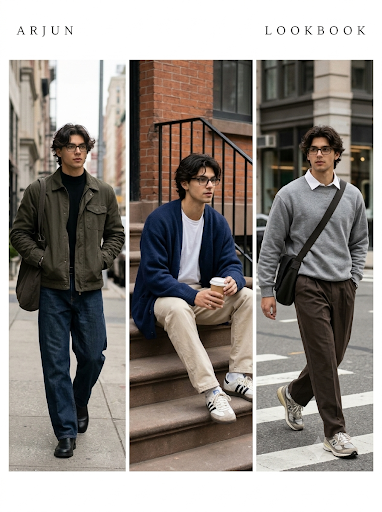

Before
FREEGPT CODE
/lookbook
0
GPT Code
Loading code...
How to Use GPT Codes
Instructions
1. Copy the code
Click the "Copy Code" button above to copy the exact GPT Code to your clipboard.
2. Open your supported AI/chat interface
Use the GPT Code with the AI workflow it was designed for (ChatGPT, Gemini, Claude, etc.).
3. Paste the commands
Paste the slash commands exactly as provided. Each line starting with "/" is a separate command.
4. Add your request or image when required
Follow the code's intended workflow. Some codes work with text prompts, others with images.
5. Combine commands when supported
Multiple GPT Codes can be combined when their instructions are compatible.
6. Experiment
Results can vary by AI model, input image, and context.
Important Notes
- / GPT Codes are community-created workflows. Results may vary between AI models and versions.
- / The "Before" image shows the original/base image. The main image shows the result after applying the GPT Code.
- / Slash commands should be pasted exactly as shown, including the "/" prefix.
- / Some GPT Codes work best with specific AI models (noted in model compatibility).